Registrant Types (Reg Type)
Begin by categorizing your registrants by registrant type.
This is completed within your site editor, under the Registrant Types tab.
This will make site building easier, regardless of whether you manually create, or import, your activities.
Just remember:
- Registrant types are required in order for activities to be visible to registrants.
- Once a registrant selects their registrant type and completes a registration, they are committed to, or otherwise locked in as that registrant type.
- Make sure a registrant type has access to all activities they need and that registrant types do not cross over one another if activities cannot be shared
You have the ability to:
- Enable access code protection to registrant types
- Create as many registrant types as you want or will need
- Associate registration profile questions to specific registrant types
- i.e.) There may be instances you want to ask certain registrant types questions that other registrant types may not need to supply, such as credential info, photo ID uploads, etc.
- Display activity prices based on Registrant type
- i.e.) A member may have a lower price than a non-member for a specific activity
- Associate specific activities across registrant types, or to specific ones only
- Allow group registrations, or only enable individual registrants, based on registrant type
Examples on how to Utilize Registrant Types
- Categorize by Age group: Adults vs. Minors (Volunteers, staff, participants, etc.)
- Categorize by Type of Volunteer/Staff: General, Corporate, Leader, Student,
- Categorize by Membership or Industry Types: Member vs. Non-member, Distributor
- Categorize by Committee: Airport Volunteers, Hotel volunteers, VIP Volunteers, etc.
- (This is mainly used for events that provide job-specific training and don’t allow volunteers to sign up for multiple committees)
You have the ability to create simple, or more complex registrant types. There are instances where only 1 registrant type is needed. In other cases, dozens may be useful. It all depends on your specific event and site needs.
Front-end Site-View Example of Registrant type categories: 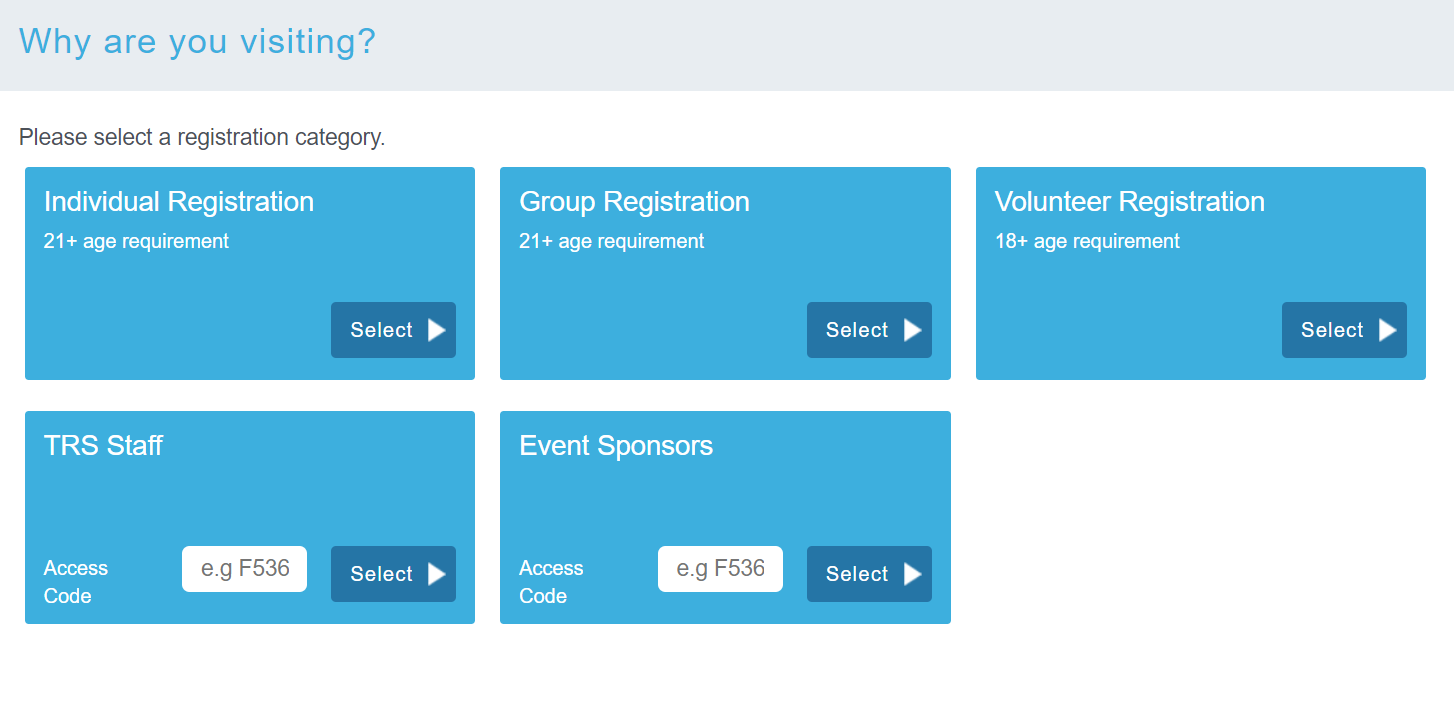
Registrant Type Settings:
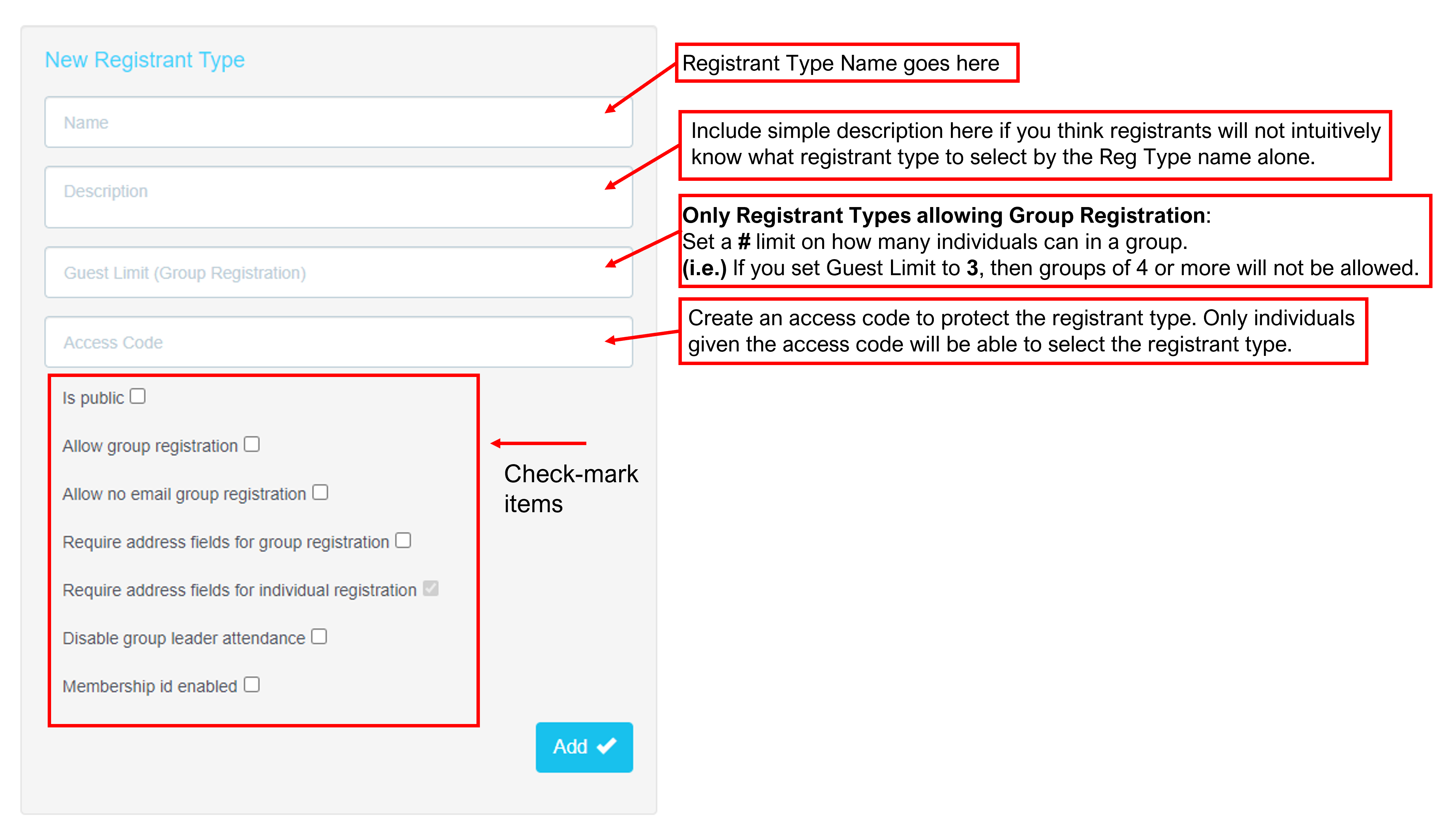
Check-mark Items:
Is public – If not checked, this registrant type will be kept private.
- Additional members apart of a group registration do not create an account, and are only associated to their group leader's group registration.
- TRS recommends consulting with a TRS rep before utilizing group registration. There may better alternatives that meet your needs.
Allow no email group registration – This will allow the group leader to enter their group's guests without being required to enter guests' email addresses. This speeds up the registration process but you will not be able to communicate directly with the guests apart of a group registration.
- This check-mark item can be used in combination with Require address fields for individual registration if group registration is allowed for the registrant type
-
Membership ID enabled – For registrant types that use a membership identification to confirm their identity or membership with an association. This is an additional service, consult your TRS rep.
_________________
Once you have created all registrant types for your site, and applied all settings as needed, proceed to build your Activity Groups within your site editor Activity Groups tab.
Comments
0 comments
Please sign in to leave a comment.