What are Activity Groups?
Grouping similar activities together makes it easier to sort, and also find a particular activity or activities.
Registrants will view Activity Groups first, and then activities associated to that activity group will be listed underneath.
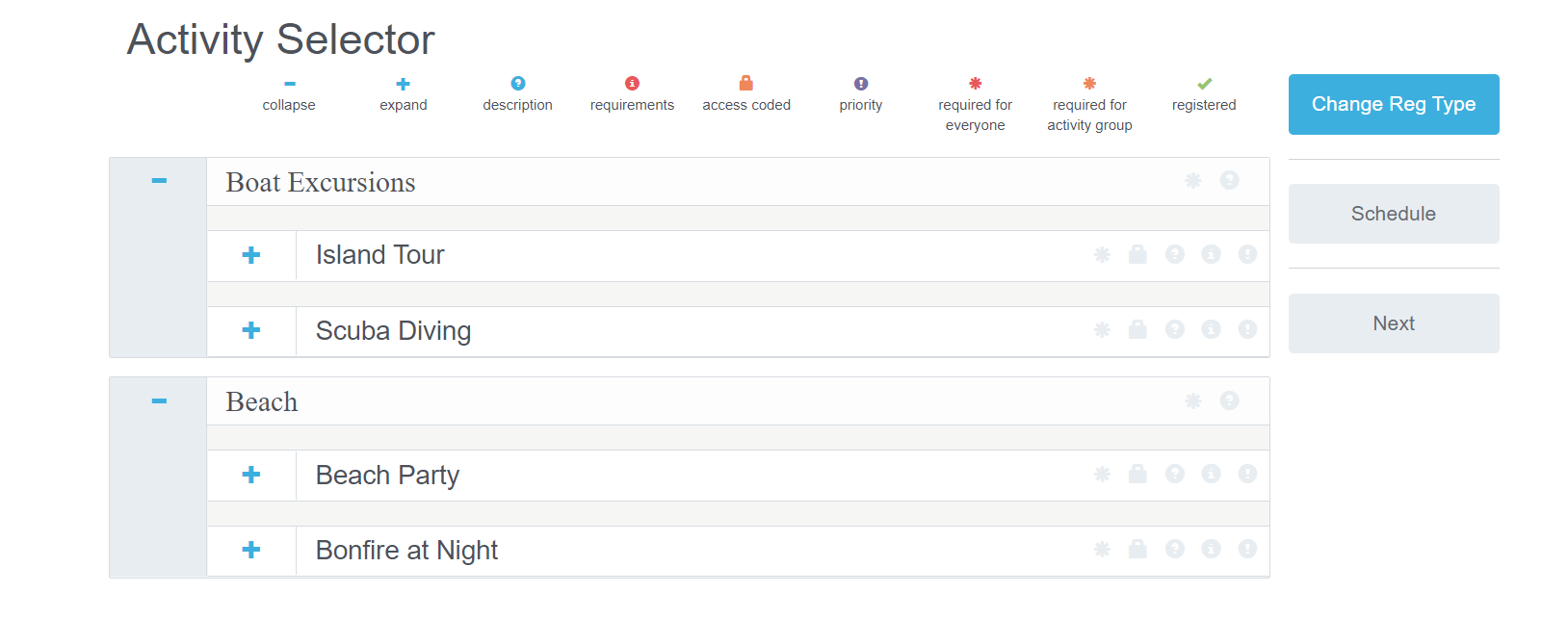
Refer to the Example below to understand how Activity Groups, and associating Activities populate on the front-end of your site for registrants completing sign-up.
Shown are two Activities Groups that have been created: Boat Excursions and Beach
- Boat Excursions has two activities associated to it: Island Tour and Scuba Diving
- Beach has two activities associated to it: Beach Party and Bonfire at Night
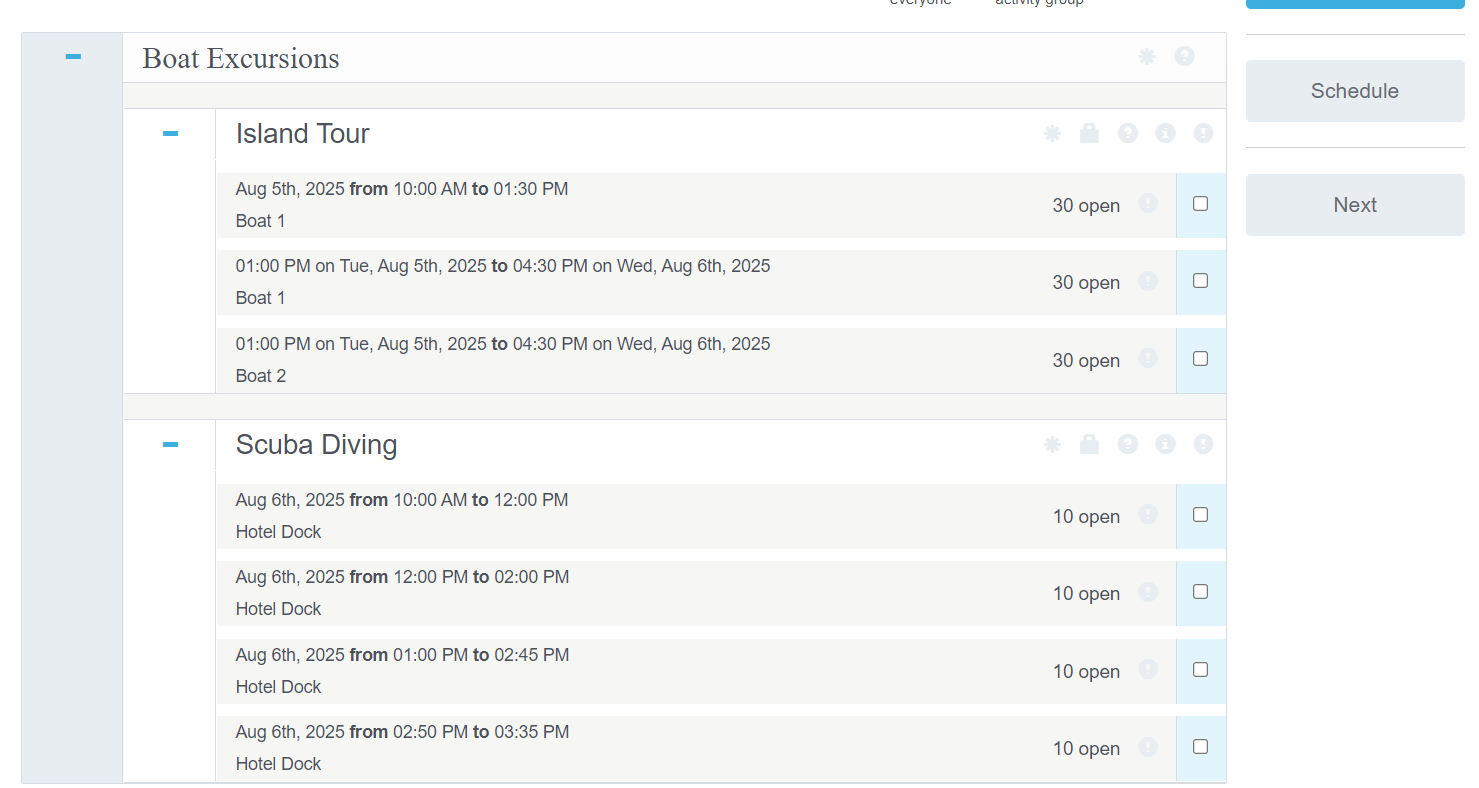
When I expand the Boat Excursions Activity Group's Activities, the timeslots associated with those Activities will populate as lists.
How Should I determine my Activity Groups?
When deciding your activity groups during the site-build process, ask yourself these questions:
- By the type of Activity (Sports, Tour, Committee, Training, etc.)
- By days of the Event: (Monday activities vs Tuesday activities)
- By Location: (Conference rooms, Hotel, Main street, Airport, Building A)
2. If you are using Team Leaders, how are they organized?
- By Committee?
- By location?
- By day of the event?
3. How is your volunteer, or registrant, grid organized?
TRS will help you find the best formatting to set-up your Activity Group, or Groups, based on the criteria listed above and your specific needs.
Comments
0 comments
Please sign in to leave a comment.