Our new group feature is designed to simplify the registration process for small groups, families and groups including multiple registrant types.
With this new group feature, you will also be able to add a new person to an individual registration and create a group. This is something that was not possible with our current group features.
Add another person is not replacing the other 2 group options currently available in TRS. It is an additional option that responds to the very diverse need of group registration.
Set up
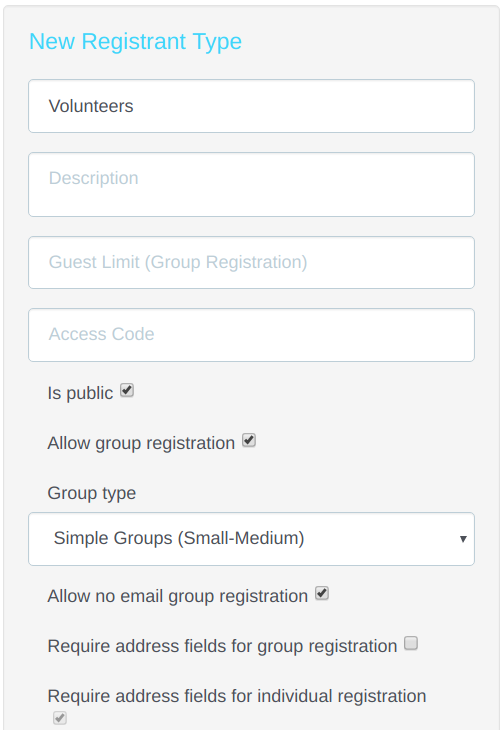
On the site builder, click on the Registrant type Tab.
Under the new Group Type drop-down menu, please select Simple Groups (Small - Medium).
Select Allow no email address to make the email address fields optional for additional registrants.
Registration process
Registrations will start their registration as individuals by selecting their activities; filling out their profile page; agreeing to terms and conditions and getting to the Review & Confirmation page.
Registrant will need to first confirm their own registration.
After their registration is confirmed, they will see the option to Add Another Person on the right side of their screen.
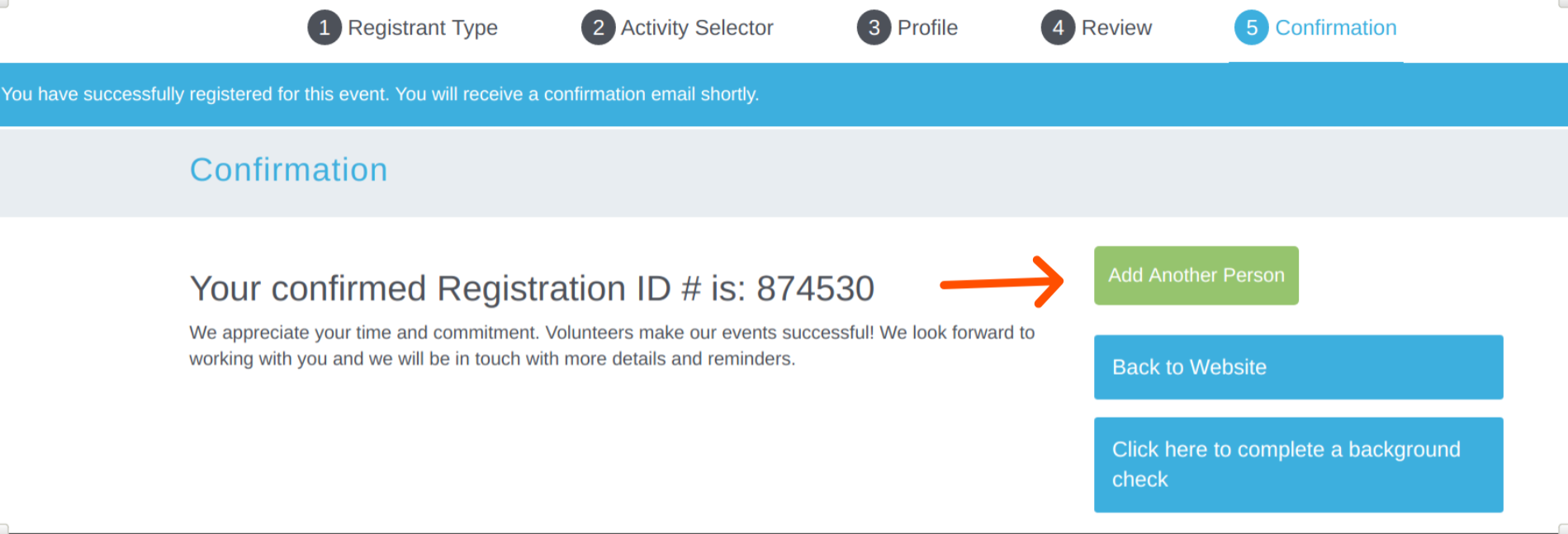
When they click on Add Another Person, they will be taken to the beginning of the registration process: registrant type - activity selector page - profile page.
On the profile page, they will see the option to skip the email address field.
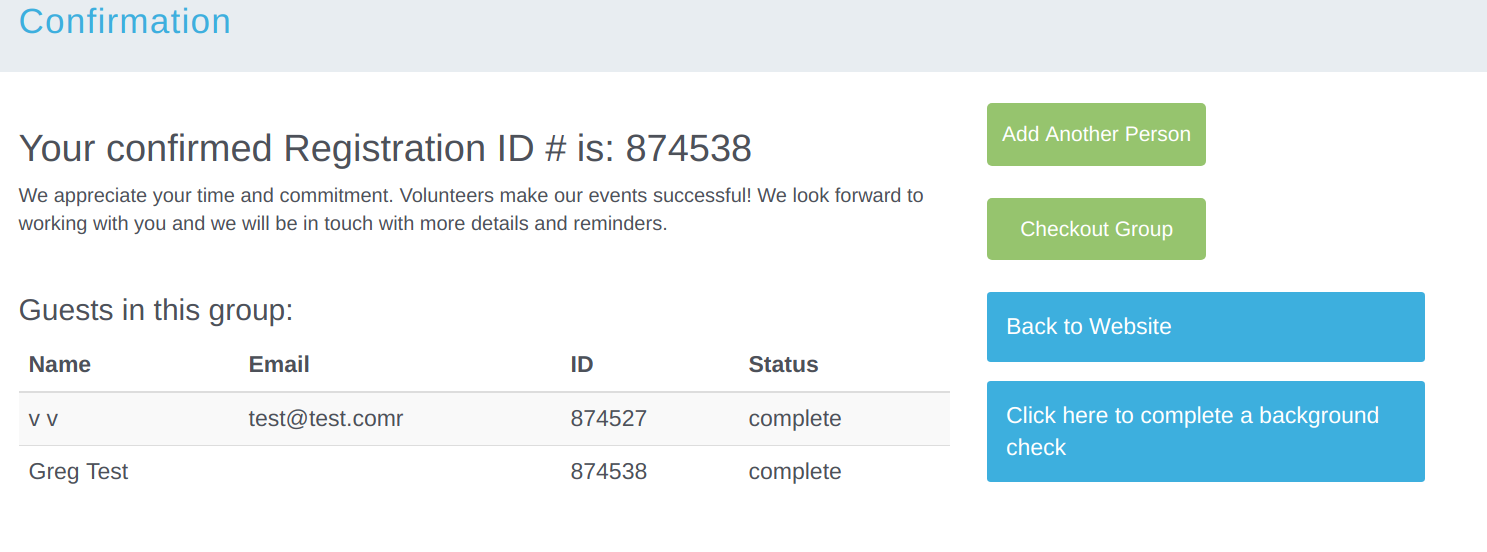
Once done, they will have to Confirm the new registration and will get to the group summary to finalize the group by clicking on Checkout Group
Comments
0 comments
Please sign in to leave a comment.